I recently decided to start blogging, so I built my own platform and thought it’d be nice to share how I made it.
ReactImplementation
Introduction
I created this blog to showcase the work I’m most proud of, my opinion, and my mini projects.
Why not use an existing platform?
There are thousands of blog platforms, but most are not flexible enough for my need. I can’t freely add the features I want (things I mentioned below), style elements exactly how I like, or configure the layout behaviors. Every once in a while, I comeback to update the app with a few new things I have learned, so it's also a great place for me to study as well, especially in the CRM type of applications where it has most of the usual features you can think of for a web app.
As you might have already seen from the landing page of this blog, that's exactly how I prefer the layout to be, I haven't found an existing solution that allows me to freestyle the style that much. Additionally, there are a lot more Markdown features that I support:
Syntax highlighting
Code blocks can show a header and support highlighting for common languages.
Syntax highlighting isn’t a new thing, but this one also has a nicer font and the italic keyword support themes that I used for all of my code editors (Inspired by Josh Comeau).
Callouts (multiple variants)
Markdown doesn’t support callouts natively. This feature is inspired by Docusaurus's Admonitions, but I also built my own variants:
A normal callout with a moderately important note.
A warning block for side effects, environment caveats, or anything that needs careful attention.
Critical errors or important caveats that must stand out.
A satisfying success block, pleasant to look at, even when it’s just for emphasis.
In addition, I also support colored inline text for important notes, including custom colors.
Mermaid diagrams support
Integrating mermaid.js was quite challenging, especially with Next.js and light/dark mode support and interactive zoom. I support this because it's going to be the main way to show diagrams for the future blog posts I make on this site, and there are no better alternatives.
Loading Mermaid...
I've also done some premature styling for the nodes and wrote custom functions to have nicer arrow icons. This makes the diagrams more consistent with the current theme.
Math support
At some point, some of my blogs would probably need to render Math equations, so it's nice to support a simple set of Latex syntaxes by default. The platform allows both inline math: x=y+3 and display blocks:
⎩⎨⎧3x7x−6x+5y−2y+3y+z+4z+2z=3=4=2
Image carousel
Image carousels let users group related photos into one component.
Upcoming features
I’ll keep adding pragmatic features and shipping small improvements. Planned items include:
Lightweight full-text search engine
Basic page analytics
A better content versioning system
These will be discussed in more recent blogs as my need to manage this platform grows.
Tech stack
The stack behind this site includes:
It’s a Next.js (App Router) app with Chakra UI as the main UI library. Though my usual tech stack is BaseUI + shadcn, this project uses Chakra because I have a very specific need for the theming system, and tuning one for my shadcn primitives is a lot more complicated. Chakra UI's theming system is way more mature and fits this use case better. I need something quick and fast out of the box, with different themes that I can switch simply in a few lines of code. Chakra v3 has very decent support for this, it also has a very competent set of components I can use.
The application is intentionally generic and config-driven: content and design are fully customizable for different use cases, not just my own. As a result, everything in this site is just at the app level settings and there's no footprint of me or my blog in the codebase. You can pretty much configure the site's icon through the settings page. This is also one way for me to force a cleaner architecture while implementing the page.
Authorization
Apart from a basic RBAC model, I manage sessions with iron-session. The flows are straightforward CRUD. The relies on Next.js's server actions and server components. They retrieve sessions slightly differently, but the integration is similarly simple.
A lightweight proxy will check for cookies for early rejection, and Redis is also added for fast cache/session validation after that first check. Pretty basic stuff.
Content Organization
I use Kysely as a type-safe SQL query builder. It’s lightweight to start with, and it also powers my TypeScript migration scripts. It's been working well so far.
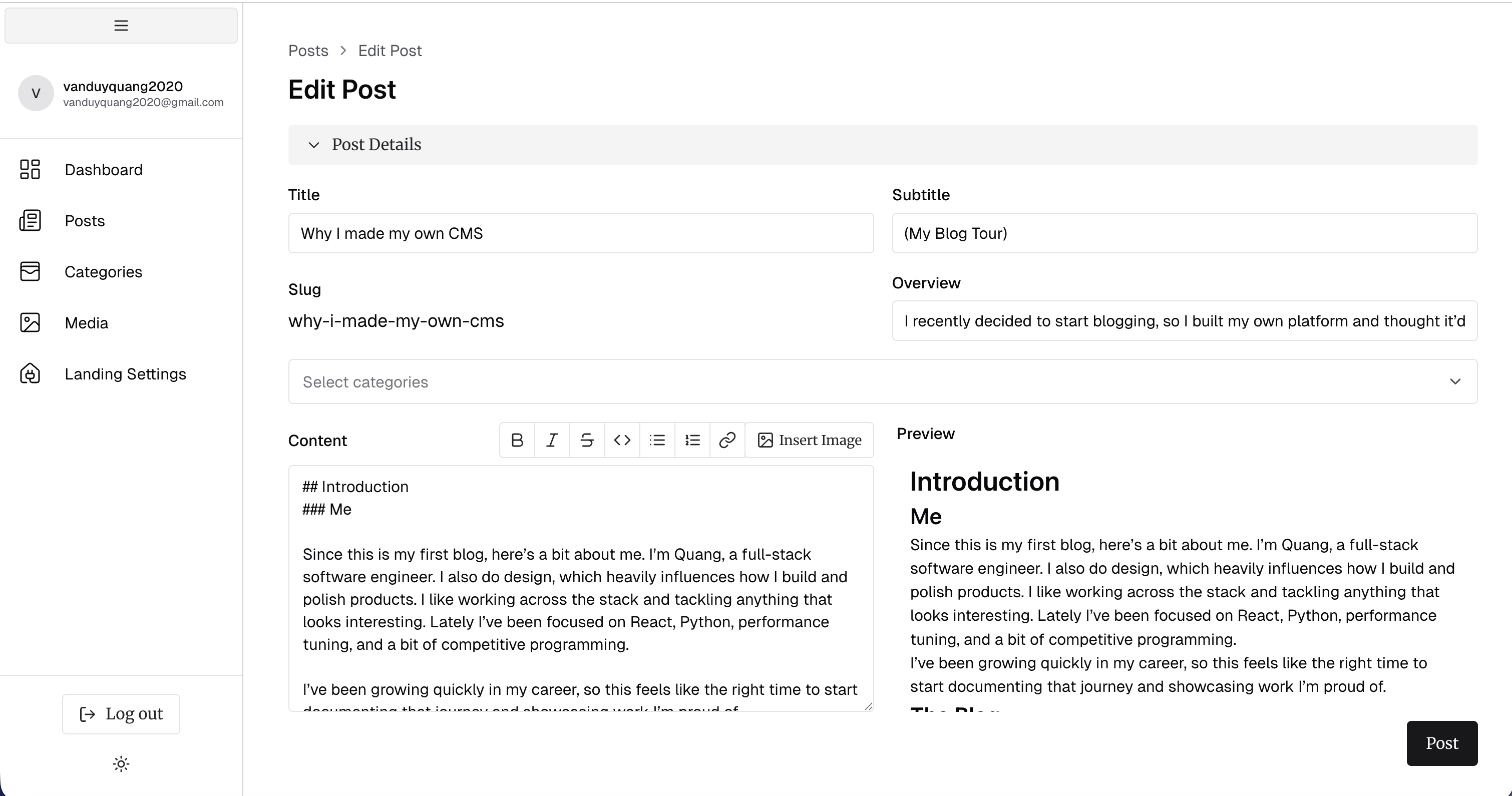
All blog content lives in the database and are not local MDX files, this is the same as Directus's model. This allows more flexible caching, filtering, categorization, and consistent behavior at scale for post/blog queries. But that also means I have to build my own version control system, which I don't have yet.
The saved content is in markdown with custom support for my own features. It's close to MDX, but not quite there yet in terms of flexibility; a database-backed MDX editor might come later once I figure out how to store safe and organized MDX content.
Remark and Rehype custom plugins
To support the additional Markdown features above, I built a few custom Remark and Rehype plugins.
Loading Mermaid...
The unified rendering pipeline (which parses Markdown into MDAST and HAST) is extended with:
remarkCalloutPlugin: Detects inline and block callout syntax (e.g., starts with :::callout/:::warning, etc and ends with :::) and converts it into a dedicated callout node.
rehypeMathPlugin: Used along with remarkMath to convert code tags with language-math class into math and inlineMath tags that allows me to render via KaTex separately.
rehypeInlineHighlighterPlugin: Converts links whose href starts with color:: into coloredSpan nodes.
I also provide a component map that swaps most supported HTML tags for Chakra UI components where appropriate.
Design
The site aims for a calm and simple aesthetic with a custom theme called Vegetable. The colors are based on natural tones and actual vegetables (not fruits) to make the interface look clean and comfortable to read.
The design is heavily inspired by Anthropic's and Notion's. The admin dashboard, however, uses a more standard Chakra UI theme for faster development.
Once this project is polished enough, I plan to open-source it. Overall, this project has been both a technical challenge and a way for me to organize what I’ve learned. It really marks a small starting point to start documenting my work and ideas. I'll add more updates as I go.